
Start with how far you sit
Screen size is about viewing distance before anything else. A 24-inch monitor is comfortable at 50 to 70 cm, about arm’s length on a normal desk. A 27-inch wants 60 to 80 cm. A 32-inch needs 80 cm or more before you stop turning your head to see the corners. Measure from your eyes to where the panel will stand: under 60 cm, a 24-inch is the safer buy.
Why 24 and 25 inch are one category
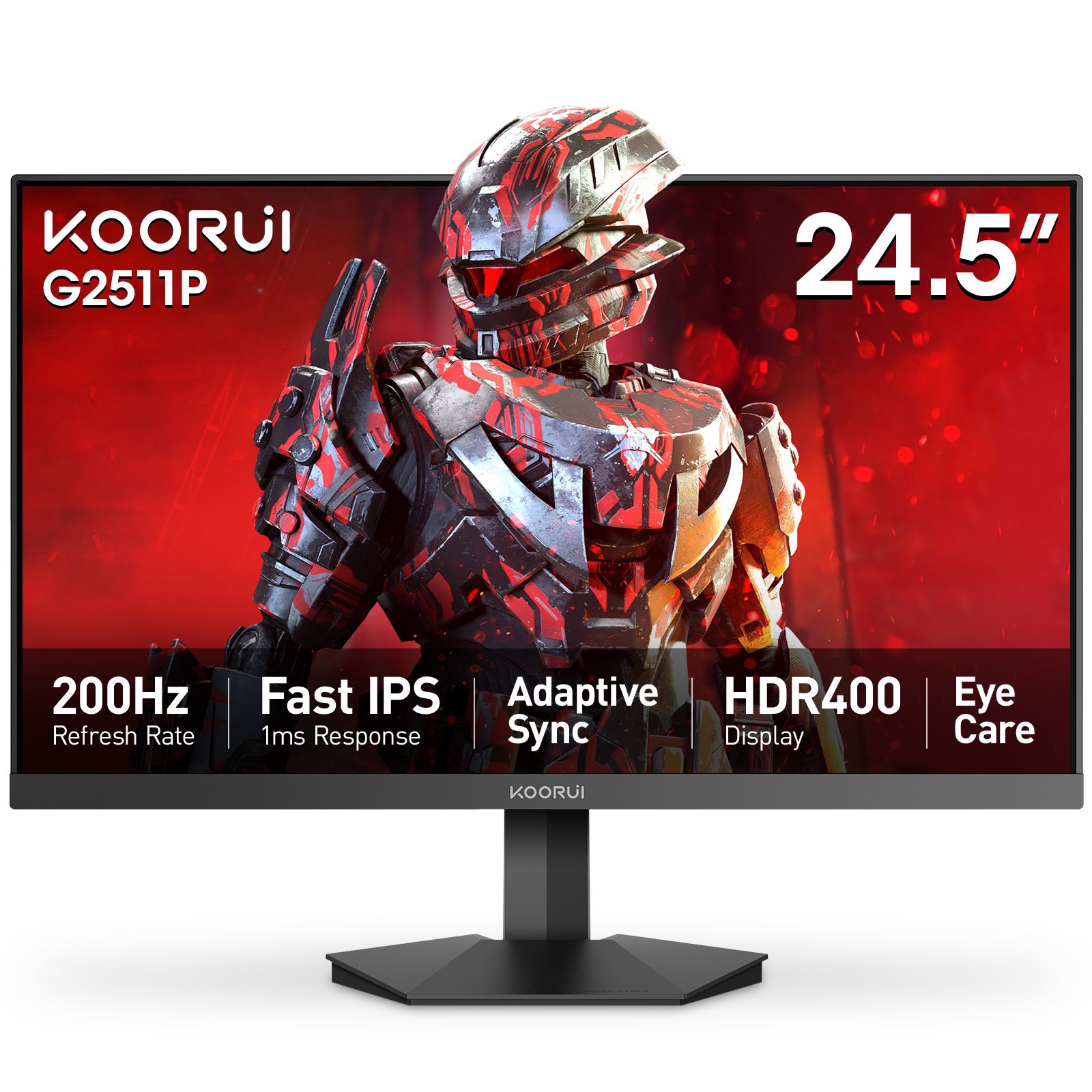
Listings say “24 inch”, “23.8 inch” and “24.5 inch”, and the last one is often rounded up to 25. For your desk they are one class: about 54 cm wide, the same comfortable distance, almost always 1080p. The difference is who they are built for. The 23.8-inch models are the value gaming and everyday choices: the KOORUI 24E3 (165Hz IPS, from Rs 31,999), the E2411K (144Hz, from Rs 34,999) and the G2411P (200Hz Fast IPS, from Rs 38,999). The 24.5-inch size is the esports size, used in tournament setups because the whole screen sits inside your central vision at 60 cm: the G2511P (200Hz, from Rs 37,999), the G2511E (320Hz, from Rs 52,999) and the G2511X (240Hz, from Rs 41,999, on our next shipment). The exception is the G2421V, a 23.8-inch 1440p 180Hz panel (from Rs 50,999): sharp, but text is small unless you use Windows scaling.
Pixel density: why 1080p looks better on 24 than on 27
The same resolution spread over a bigger panel gets softer. 1080p on a 24-inch works out at 92 pixels per inch, which is sharp at normal distance. 1080p on a 27-inch drops to about 82 ppi: games still look fine, but text looks softer in spreadsheets and code. 1440p on a 27-inch lands at about 109 ppi, sharper than either, which is why 27-inch is the sweet spot for 1440p. 4K on a 27-inch is sharper still, but needs 150% Windows scaling and a strong graphics card for games.
A practical rule: at 60 cm or closer, pick 24-inch 1080p or 27-inch 1440p. A 27-inch at 1080p is a fair way to get a big screen and a high refresh rate on a modest graphics card, if you sit 70 cm or more back. The E2712K (144Hz VA, from Rs 35,999), GN06 (180Hz IPS, from Rs 38,999) and G2711P (200Hz Fast IPS, from Rs 47,999) exist for exactly that buyer.
Measure your desk width
A monitor is wider than its size suggests, because the inches measure the diagonal, not the width. As a guide: a 24-inch is about 54 cm wide, a 27-inch about 61 cm, a 32-inch about 71 cm and a 34-inch ultrawide about 81 cm. Two 27-inch monitors side by side need 125 cm of desk. Depth matters as much: a 27-inch wants your eyes about 60 cm from the panel, so on a 60 cm deep desk the stand goes right to the back, or you use a monitor arm.
Every product page has a “Will it fit your desk?” tool below the specs: enter your desk width and depth and it draws the monitor and stand to scale. Try it on the G2721P page before choosing between 24 and 27.
27 inch: the all-rounder
27-inch is where our range is widest because it suits the most people: 1440p at high refresh with the G2721P (200Hz, from Rs 61,999), G2722P (200Hz, from Rs 67,999) and G2721E (320Hz, from Rs 71,999, on our next shipment); 4K for work with the N07 (60Hz IPS, from Rs 58,999) and for gaming with the G2741L (160Hz, from Rs 106,999); and at the top the Mini LED S2721PM (from Rs 89,999, on our next shipment) and S2741LM (from Rs 139,999), and the QD-OLED S2721XO (from Rs 173,999).
Going bigger than 27
31.5-inch and 34-inch panels need 80 cm or more of distance and a desk at least 71 cm or 81 cm wide. At 31.5 inches: the 32E6QC, a 1440p 170Hz curved VA (from Rs 69,999), its sibling the G3221SC (from Rs 69,999, on our next shipment), and the S3241XO 4K 240Hz QD-OLED (from Rs 304,999). The 34-inch ultrawides are the G3441XC (240Hz, from Rs 98,999) and 34E6UC (165Hz, from Rs 89,999, on our next shipment). The 49-inch S4941XO replaces two 27-inch monitors and is priced on request.
| Size | Typical resolution | KOORUI models | Who it suits |
|---|---|---|---|
| 23.8″ | 1080p (1440p on the G2421V) | 24E3 from Rs 31,999; E2411H from Rs 32,999; E2411K from Rs 34,999; G2411P from Rs 38,999; G2421V (1440p) from Rs 50,999 | Shallow desks, first gaming monitor, budget builds |
| 24.5″ | 1080p | G2511P from Rs 37,999; G2511X from Rs 41,999 (next shipment); G2511E from Rs 52,999 | Competitive shooters, tournament-style setups |
| 27″ | 1440p (1080p and 4K also offered) | E2712K (1080p) from Rs 35,999; GN06 (1080p) from Rs 38,999; N07 (4K) from Rs 58,999; G2721P (1440p) from Rs 61,999; G2741L (4K) from Rs 106,999; S2721XO (QD-OLED) from Rs 173,999 | Most desks 60 cm or deeper, mixed gaming and work, consoles |
| 31.5″ and 34″ | 1440p, 3440 × 1440 ultrawide, 4K | 32E6QC from Rs 69,999; G3441XC (34″) from Rs 98,999; S3241XO (4K) from Rs 304,999 | Deep desks, sim racing, films, productivity |
The short answer
- Desk under 60 cm deep, or a modest graphics card: 24-inch 1080p. The 24E3 for value, the G2511P for esports.
- Desk 60 to 80 cm deep and one screen for everything: 27-inch 1440p, starting with the G2721P.
- 27-inch on a budget: 1080p models like the GN06, if you sit 70 cm back.
- 80 cm or more of distance and a desk over 71 cm wide: 31.5-inch or a 34-inch ultrawide.
Still undecided? Compare models side by side on the compare page, run the desk-fit tool, or send a photo of your desk to WhatsApp +92 300 1566784 or sales@koorui.com.pk. Everything in the shop carries the 36-month KOORUI warranty serviced in Pakistan (see the warranty page).