
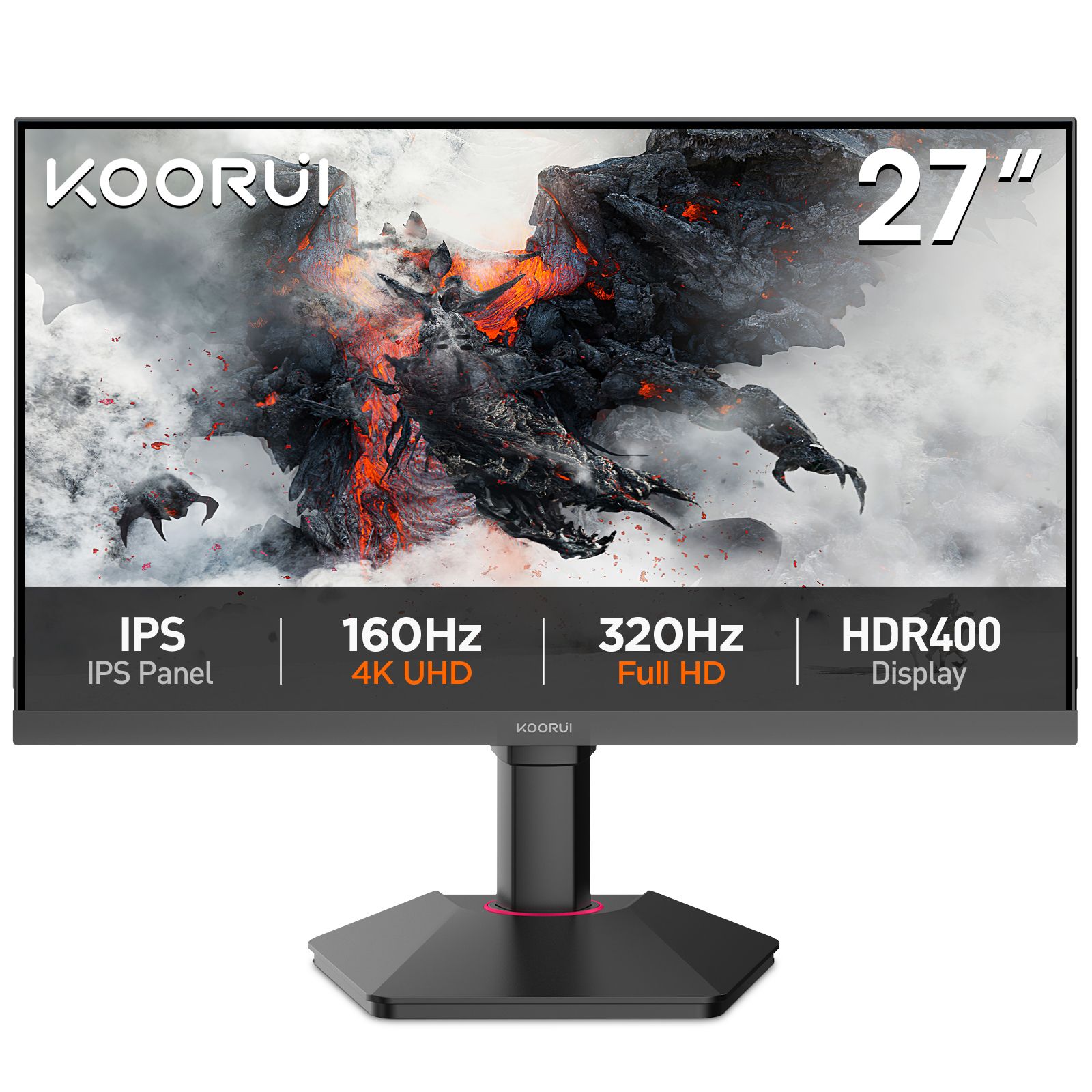
A PS5 or Xbox Series X|S does not need the fastest monitor in the range. Both consoles stop at 120Hz, so a 200Hz or 320Hz panel gives a console nothing extra. What matters is which resolution the monitor runs at 120Hz over HDMI, which HDMI version it has, and whether it supports variable refresh rate (VRR) the way the console expects. This guide sorts the range by those three things.
What the consoles can output
The PS5 outputs 1080p, 1440p and 4K, each at up to 120Hz; 1440p has been a native output since the 2022 system update. The Xbox Series X does the same. The Xbox Series S caps at 1440p, so it runs on a 4K monitor but will not drive it at 4K.
The HDMI version on the monitor sets the ceiling. 1080p and 1440p at 120Hz fit through HDMI 2.0. 4K at 120Hz needs HDMI 2.1 on the monitor and a 4K panel that runs at 120Hz or more.
VRR is the other split. The PS5 only does VRR through HDMI 2.1 VRR, so on our HDMI 2.0 models a PS5 runs at a fixed 120Hz with VRR off. The Xbox Series X|S can also use FreeSync over HDMI, so on our adaptive-sync models it gets VRR where the PS5 does not. If VRR matters, pick an HDMI 2.1 model and it works on both consoles.
Ultrawide monitors (the 34″ 3440 × 1440 and 49″ 5120 × 1440 models) show a console as a 16:9 image with black bars on either side. On a console you pay for width you cannot use.
Budget: 1080p at 120Hz
Any KOORUI 1080p model at 120Hz or more gives a console 1080p at 120Hz. The KOORUI 24E3 (23.8″, 165Hz IPS, from Rs 31,999) and the KOORUI E2411H (23.8″, 120Hz IPS, from Rs 32,999) are the entry points. Both connect over HDMI 1.4 and neither does VRR on a console; the E2411H has no adaptive sync at all. If you also game on a PC, the KOORUI G2511P (24.5″, 200Hz Fast IPS, HDMI 2.0, from Rs 37,999) is the better buy: the console gets the same 1080p at 120Hz and the PC gets 200Hz over DisplayPort.
Mid-range: 1440p at 120Hz
This is the sweet spot for a console on a desk. The KOORUI G2721P (27″, 2560 × 1440, 200Hz Fast IPS, from Rs 61,999) runs 1440p at 120Hz over its HDMI 2.0 ports. If the desk is small, the KOORUI G2421V (23.8″, 2560 × 1440, 180Hz Fast IPS, from Rs 50,999) gives the same console mode in a 24″ frame. Neither does VRR on a PS5. The KOORUI G2721E (27″, 1440p, 320Hz, from Rs 71,999) is on our next shipment; its spec sheet lists HDMI 2.1, which brings VRR to both consoles. For 1440p at 120Hz with VRR today, the QD-OLED KOORUI S2721XO (27″, 240Hz, from Rs 173,999) is in the range.
True 4K at 120Hz
Two 27″ models have HDMI 2.1 and a 4K panel above 120Hz. The KOORUI G2741L (27″, 4K 160Hz Fast IPS, HDR400, from Rs 106,999) runs a PS5 or Series X at 4K 120Hz with VRR. It is also dual-mode, so a PC can switch it to 1080p at 320Hz. The KOORUI S2741LM (from Rs 139,999) is the same layout with a Mini LED backlight, HDR1400 and a USB-C input. The KOORUI S3241XO (31.5″, 4K 240Hz QD-OLED, from Rs 304,999) does the same on a larger OLED panel.
The KOORUI N07 (27″, 4K, from Rs 58,999) is 4K but it is a 60Hz panel on HDMI 2.0, so a console runs 4K at 60Hz on it with no VRR. It is a work monitor, and a good one; it is not a 120Hz console monitor, and we would rather say so than let the 4K in the name sell it.
Side by side
| Model | Panel | Best PS5 mode | VRR on PS5 | Price from |
|---|---|---|---|---|
| 24E3 | 23.8″ IPS, 165Hz | 1080p @ 120Hz | No | Rs 31,999 |
| E2411H | 23.8″ IPS, 120Hz | 1080p @ 120Hz | No | Rs 32,999 |
| G2511P | 24.5″ Fast IPS, 200Hz | 1080p @ 120Hz | No | Rs 37,999 |
| G2421V | 23.8″ Fast IPS, 1440p 180Hz | 1440p @ 120Hz | No | Rs 50,999 |
| N07 | 27″ IPS, 4K 60Hz | 4K @ 60Hz | No | Rs 58,999 |
| G2721P | 27″ Fast IPS, 1440p 200Hz | 1440p @ 120Hz | No | Rs 61,999 |
| G2741L | 27″ Fast IPS, 4K 160Hz | 4K @ 120Hz | Yes | Rs 106,999 |
| S2741LM | 27″ Mini LED, 4K 160Hz | 4K @ 120Hz | Yes | Rs 139,999 |
| S2721XO | 27″ QD-OLED, 1440p 240Hz | 1440p @ 120Hz | Yes | Rs 173,999 |
| S3241XO | 31.5″ QD-OLED, 4K 240Hz | 4K @ 120Hz | Yes | Rs 304,999 |
Every product page has a “Consoles & ports” table with the same detail for each console, and any two models can be put side by side on the compare page.
How to set it up
On the PS5, go to Settings, then Screen and Video, then Video Output. Set Resolution to Automatic (or 1440p on a 1440p monitor), set Enable 120 Hz Output to Automatic, and on an HDMI 2.1 model set VRR to Automatic. Many games also have their own Performance or 120Hz mode that has to be switched on in-game. On the Xbox, go to Settings, General, then TV & display options: pick the resolution, set Refresh rate to 120 Hz, and under Video modes turn on Allow variable refresh rate where the model supports it.
Use the HDMI cable that came in the console box; both consoles ship with one rated for their full output. Any other cable used for 4K at 120Hz must be an HDMI 2.1 (Ultra High Speed) cable. An older cable falls back to 60Hz or drops out; check it first if 120Hz does not appear in the console menu.
Not sure? Message us on WhatsApp at +92 300 1566784 or email sales@koorui.com.pk with your console and budget. Every monitor in the shop carries the 36-month warranty serviced in Pakistan.